[注意! 便携版Node无法直接运行 .ts 本教程以呱呱服务端举例 详情请咨询呱呱论坛管理员]
进入 .\Servers\SpaceNinjaServer 目录
创建文件夹 mailSave(此处可随意设定你喜欢的名称不重要)
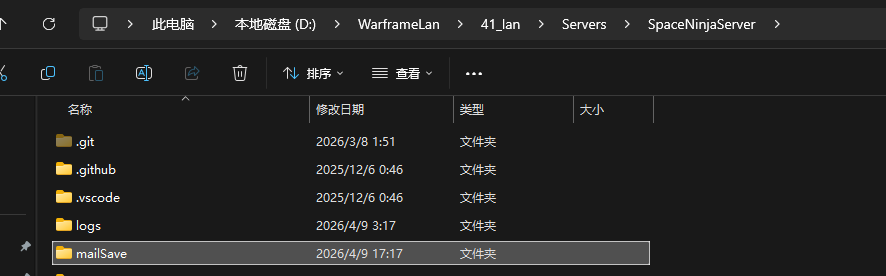
创建一个 .js 文件
[此处范例遍历所有玩家,更多参考可以查阅 inboxModel/inboxService/inboxController 其中有更多的参考]
import mongoose from 'mongoose';

const MONGO_URI = 'mongodb://127.0.0.1:27017/openWF';

const giftSchema = new mongoose.Schema({
  GiftType: String
}, { _id: false });

const messageSchema = new mongoose.Schema({
  ownerId: mongoose.Schema.Types.ObjectId,
  globaUpgradeId: mongoose.Schema.Types.ObjectId,
  sndr: String,
  msg: String,
  cinematic: String,
  sub: String,
  customData: String,
  icon: String,
  highPriority: Boolean,
  lowPrioNewPlayers: Boolean,
  startDate: Date,
  endDate: Date,
  goalTag: String,
  date: { type: Date, required: true },
  r: Boolean,
  CrossPlatform: Boolean,
  att: { type: [String], default: undefined },
  gifts: { type: [giftSchema], default: undefined },
  countedAtt: { type: [mongoose.Schema.Types.Mixed], default: undefined },
  attVisualOnly: Boolean,
  transmission: String,
  arg: {
    type: [{ Key: String, Tag: mongoose.Schema.Types.Mixed, _id: false }],
    default: undefined
  },
  contextInfo: String,
  acceptAction: String,
  declineAction: String,
  hasAccountAction: Boolean,
  RegularCredits: Number
}, { id: false });

const Inbox = mongoose.model('Inbox', messageSchema, 'inbox');
const Account = mongoose.model('Account', new mongoose.Schema({}, { strict: false }));

async function sendAll() {
  await mongoose.connect(MONGO_URI);
  console.log('数据库连接成功');

  const players = await Account.find({});
  console.log(`找到玩家:${players.length} 人`);

  let success = 0;

  for (const player of players) {
    await Inbox.create({
      ownerId: player._id,
      sndr: "Lotus",
      sub: "全服公告",
      msg: "你好,这是系统发送的全服邮件",
      highPriority: true,
      r: false,
      date: new Date()
    });
    success++;
    process.stdout.write(`\r发送进度:${success}/${players.length}`);
  }

  console.log(`\n发送完成!游戏内重新登录即可收到!`);
  process.exit(0);
}

sendAll();
此处暂时将文件命名为 1.js
以管理员打开CMD
CD至 Servers 目录
执行以下代码
.\node\node.exe .\mailSave\1.js

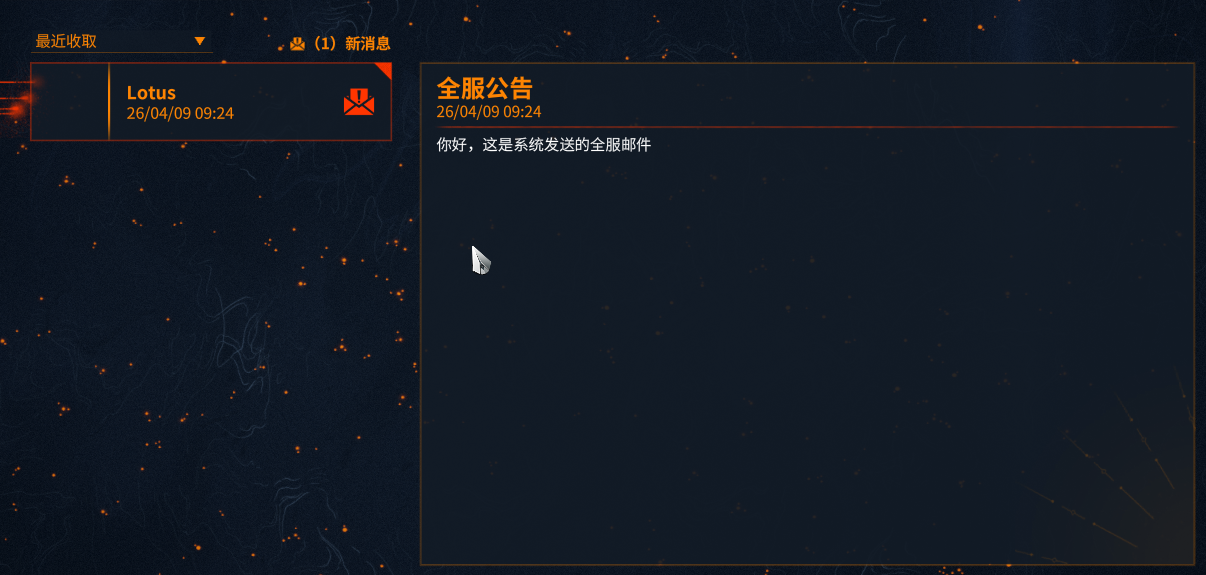
至此 一封精简的邮件发送就完成了
图文教程